Web and desktop
Kawase in any browser with nothing to install, laid out for a computer with a sidebar, installable as a web app; the Mac app is on its way.
Open app.getkawase.xyz. You start as a guest, and everything works as on the phone: chat, cards, Markets, voice and every screen, laid out for a wide window.
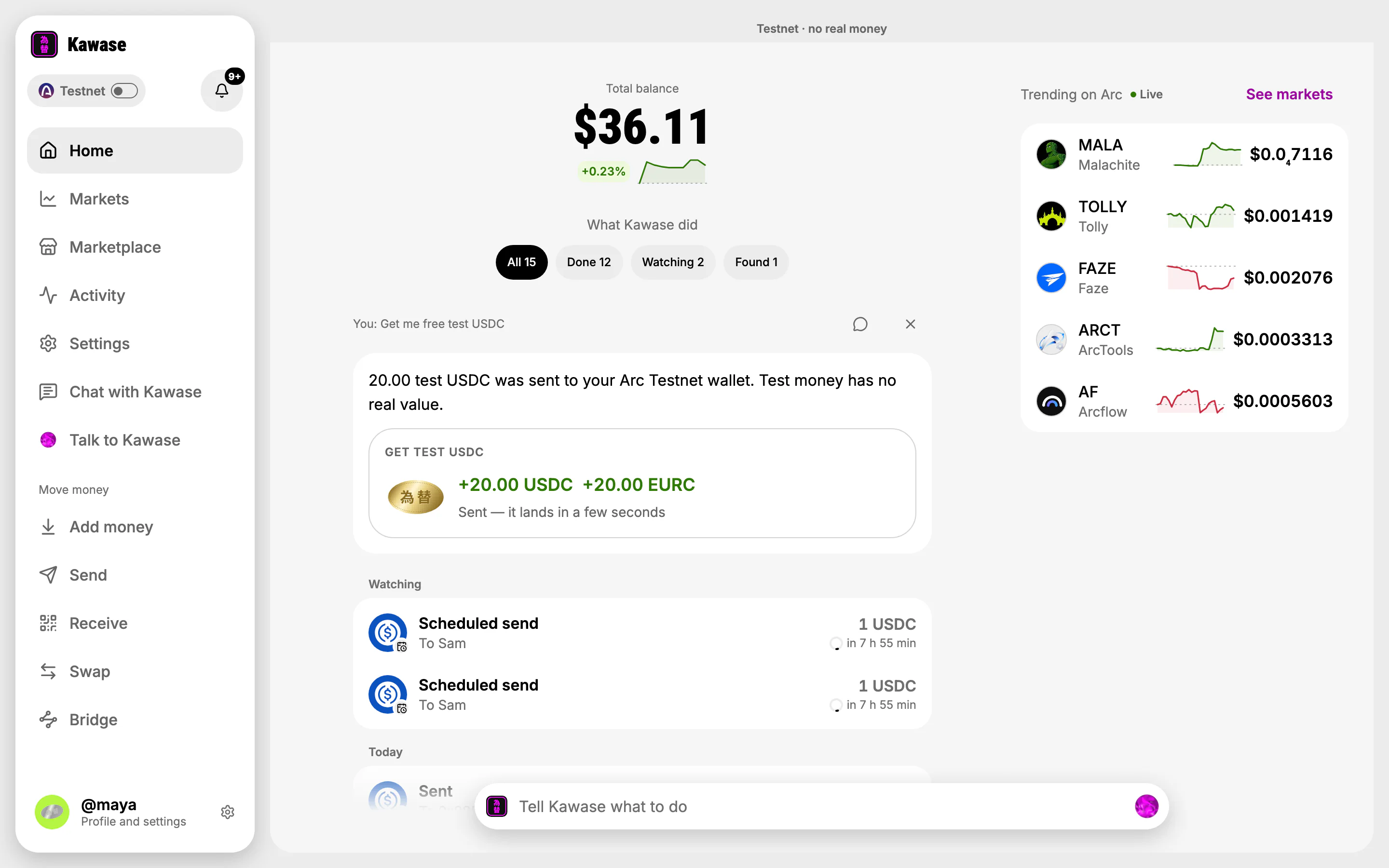
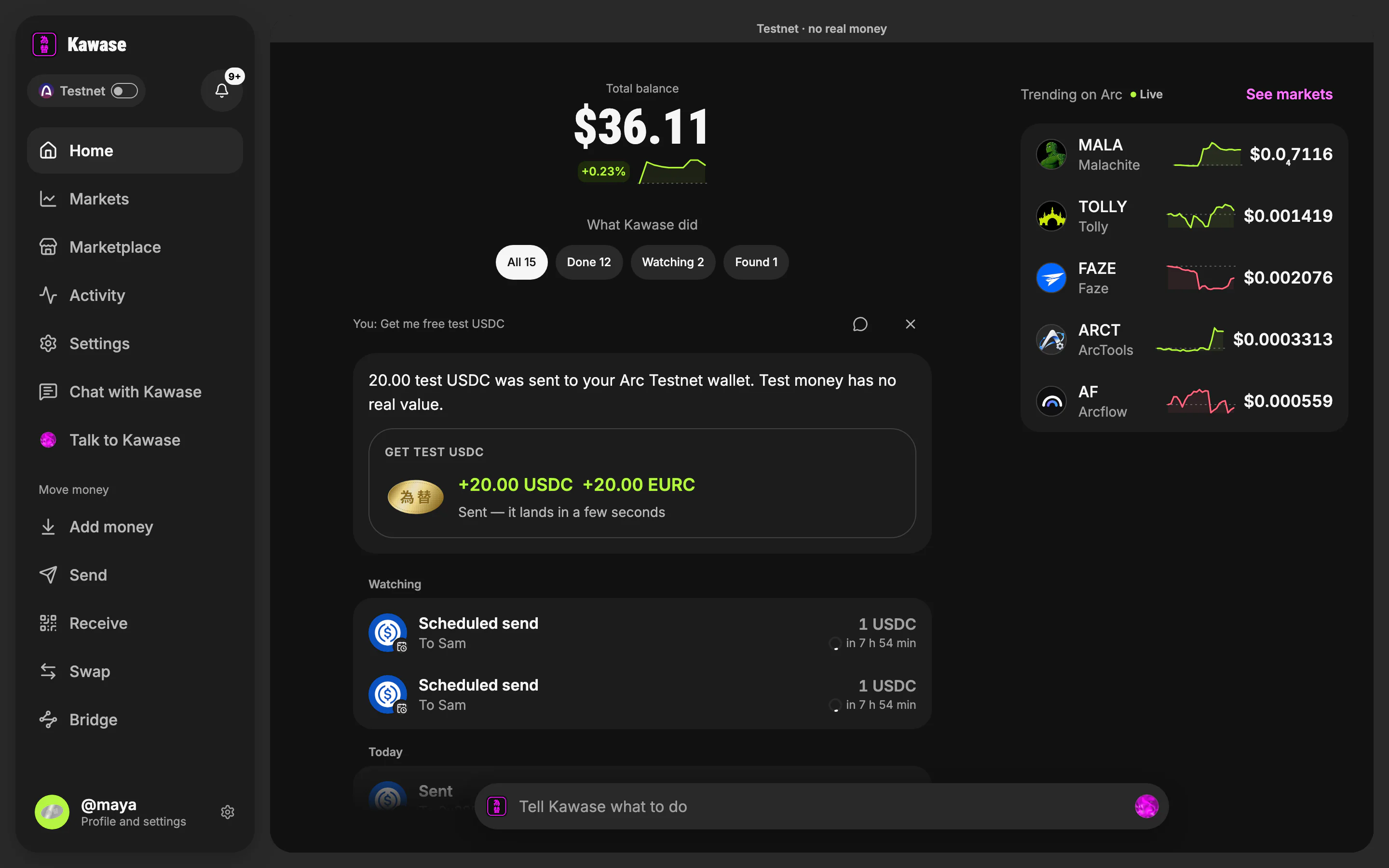
- The sidebar: every screen, and every way to move money
- Your balance and what Kawase did
- Trending on Arc, live
- Tell Kawase what to do
Laid out for a computer
- The sidebar holds every screen and Move money (Add money, Send, Receive, Swap, Bridge), with the network pill and your profile.
- Chat with Kawase and Talk to Kawase are both one click away: typing and voice.
- Wide screens put things side by side, such as a token's chart beside its ticket:
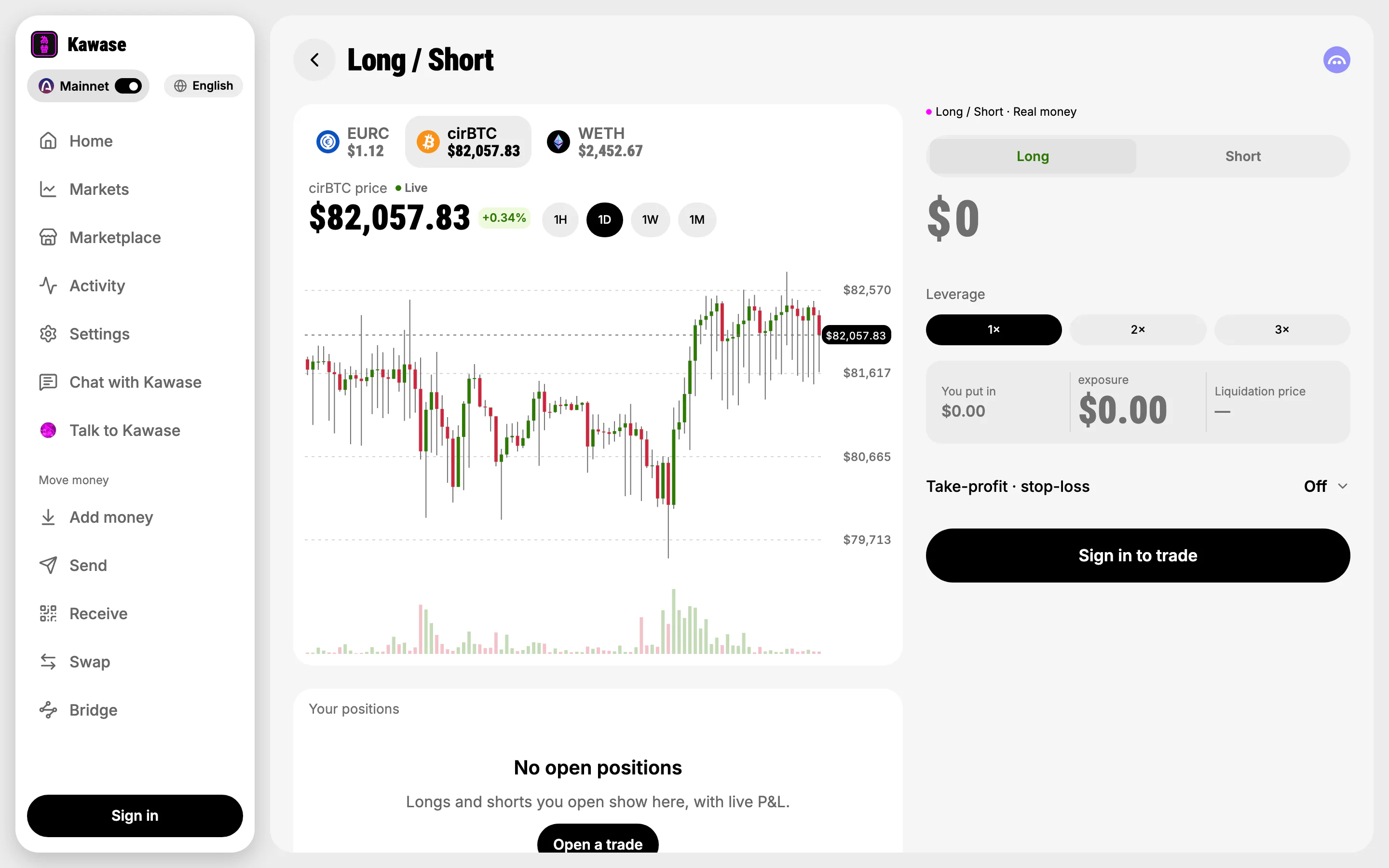
- The ticket beside the chart
Activity opens a movement's receipt in a drawer on the right, as Home does; the list stays where you were.
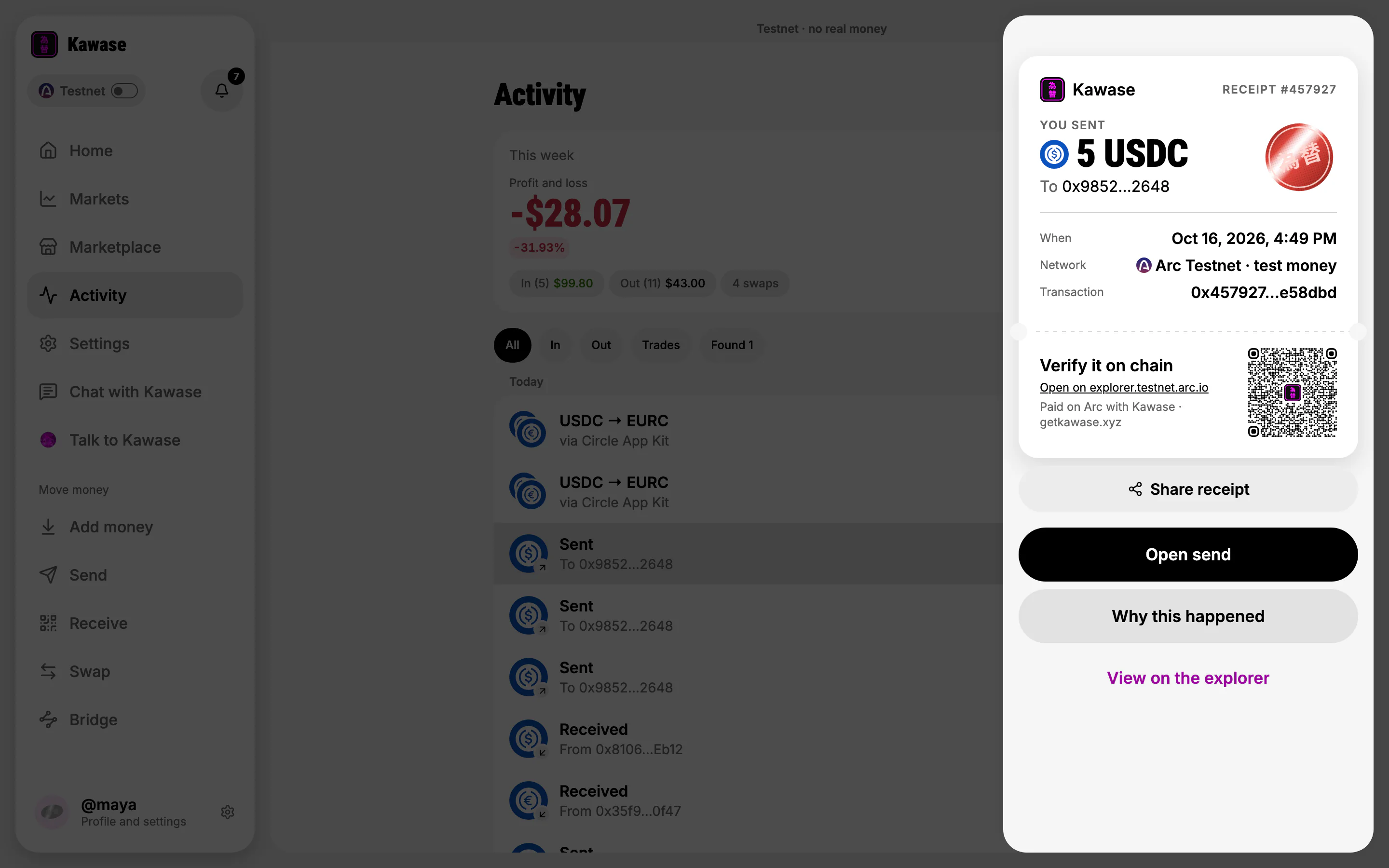
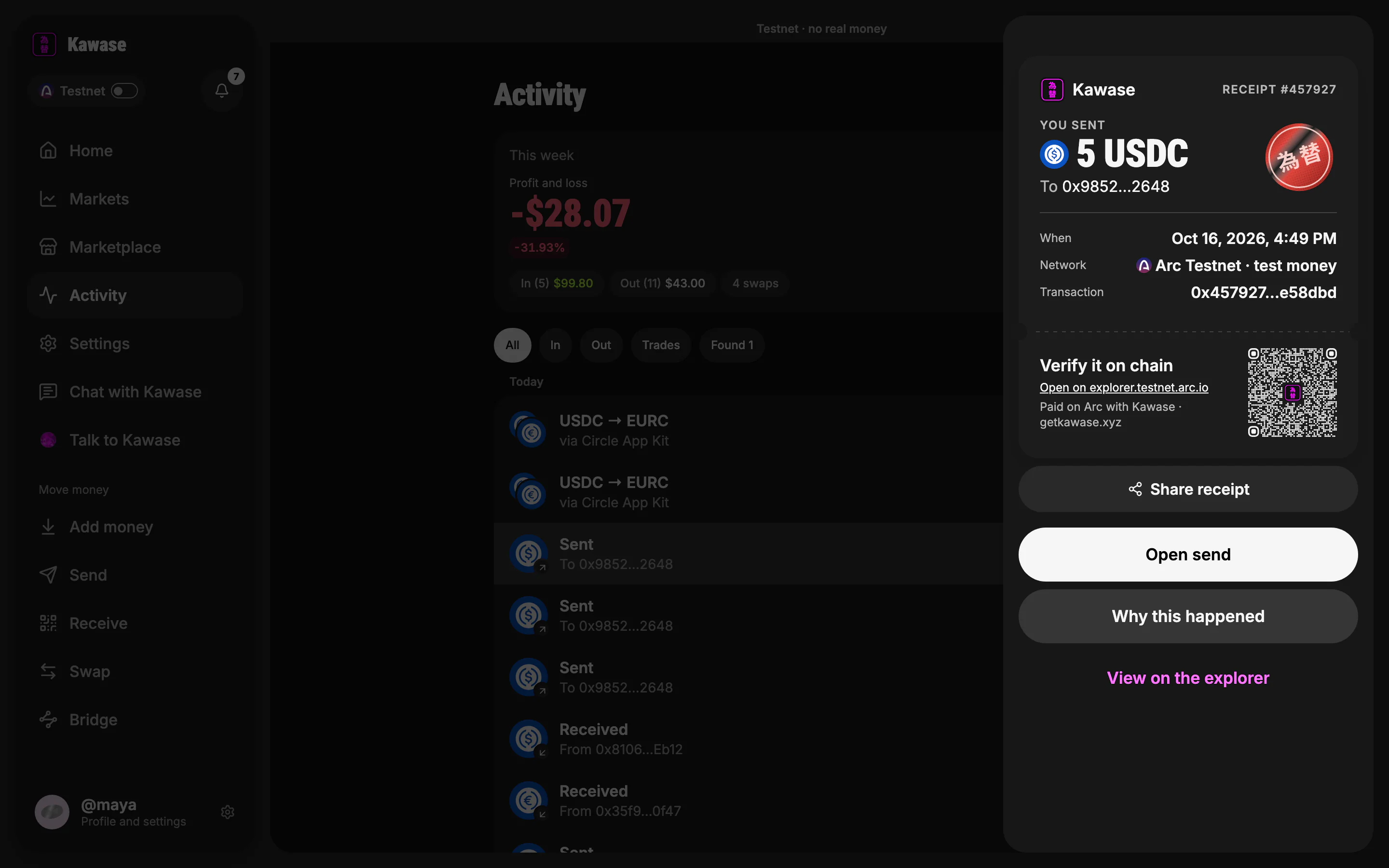
- This week: profit and loss, in and out
- The movement you opened
- Its receipt slip, in a drawer
Confirming on the web
Where a phone asks for Face ID, the web app sends an email code: you type the six digits and the payment goes. Voice works too: allow the microphone when the browser asks. If you refuse it, Kawase says how to allow it, and typing is right there.
Install it
Kawase is an installable web app. In Chrome or Edge use Install, in Safari Add to Dock (Mac) or Add to Home Screen (iPhone). If the network drops, an offline page says so instead of a broken screen. Kawase never caches balances, so nothing old is ever shown as current money.
The Mac app
Kawase for Mac is on its way. Until then, the web app runs in any browser on your Mac, voice included. See getkawase.xyz/download for every platform.
On the phone
Kawase for iPhone is on TestFlight and for Android as an APK. See getting started.